Loading the homepage
Blog/Tutorials
How to automate TikTok slideshows with AI.
The full six-step system for automating a TikTok slideshow page: warm the account, source images on repeat, build a hook pool, connect the posting layer, and know exactly where TikTok draws the compliance line.
MT
Matt Torres
Founder, Deeporax
Reviewed by Rhea Park, TikTok growth lead
Published Jul 18, 2026 · Updated Jul 25, 202621 min read · fact-checked

Key takeaways
- Automating a slideshow page is six connected steps, not one toggle: warm-up, niche and format, image supply, hook system, posting, and weekly monitoring.
- TikTok's Content Posting API publishes photo carousels directly, but an unaudited client is capped at 5 users a day and SELF_ONLY visibility until it passes TikTok's audit.
- Posting volume mostly raises the ceiling, not the median: Buffer's analysis of 11.4 million TikTok posts found the biggest lift moving from 1 post a week to 2-5, with heavier schedules mainly widening the gap for outlier posts.
- TikTok now scans every upload for AI-generation metadata and labels it automatically. Build disclosure into the pipeline instead of hoping it slips through.
Why bother automating a slideshow page at all.
A single TikTok slideshow takes a few minutes of real work: source images, write a hook, order the slides, add captions, export, upload, tag, post. Do that by hand once a day and it's a hobby. Do it at the volume the platform actually rewards and it turns into a second job nobody signed up for. Buffer's analysis of 11.4 million TikTok posts across more than 150,000 accounts found that creators posting 6 to 10 times a week saw 29 percent more views per post than those posting once weekly, and accounts posting 11 or more times a week saw a 34 percent lift (Buffer, 2026). That's the math automation exists to solve: not turning one slideshow into ten better ones, but making ten decent ones possible without ten times the hours.
The honest failure mode isn't a lack of ideas. It's that manual production caps out. A person can source, design, and post a genuinely good slideshow maybe three or four times a day before the quality slips, the captions get lazy, and the account starts looking like it's mailing it in, something TikTok's own systems are built to notice. Automation done right doesn't remove the judgment, it removes the repetition: the same image-sourcing decision, the same caption structure, the same slide layout, made once and then executed on a schedule instead of remade from scratch every single day.
This guide walks through the six steps that make a slideshow automation actually work in 2026: warming the account, choosing one format instead of five, building an image pipeline that won't run dry, writing a hook system worth repeating, connecting the posting layer, and watching the right numbers instead of the vanity ones. It also covers exactly where TikTok draws the line between automation it tolerates and automation that gets an account banned, since that line moved meaningfully this year and a lot of older guides haven't caught up.
Three things worth knowing before the how-to starts. TikTok's own Content Posting API already supports photo carousels natively, so nobody needs to fake a slideshow as a video file anymore. Posting frequency helps mostly at the extremes, the median post barely moves, but the ceiling for a breakout post climbs hard with volume. And TikTok now scans uploads for AI-generation metadata automatically, so a disclosure-first pipeline is the safer bet regardless of what an automation tool's marketing page promises.
What automating a TikTok slideshow actually means.
Automating a slideshow page means turning a repeatable creative decision into a system that runs without daily hands-on work, not replacing judgment with randomness. In practice that's four linked pieces: an image source that doesn't run dry, a hook and caption template flexible enough to feel fresh across dozens of posts, a posting mechanism that actually reaches TikTok's servers, and a schedule that matches what the account can sustain without tripping spam detection.
This is more achievable in 2026 than it was two years ago mainly because TikTok opened its own door. Its Content Posting API, documented at developers.tiktok.com, exposes a photo-post endpoint that accepts a photo_images array and publishes a slideshow the same way it publishes a video, no need to stitch stills into an MP4 to get programmatic posting working. That single fact changes the whole conversation: the hard part used to be reaching TikTok's servers at all. Now the hard part is what gets fed into the pipeline and how fast it runs.
There are three honest ways to build this. Roll a custom client against TikTok's Content Posting API, which requires a developer account, an app audit, and ongoing maintenance as the API evolves. Use a general social scheduler that added TikTok photo posts as one supported format among several. Or use a tool built specifically around the slideshow format, with image sourcing, a hook library, and TikTok's Photo Mode spec built in rather than bolted on. None of the three is a shortcut around the underlying work. They just distribute it differently, which is the actual decision to make in Step 5 below.
The real numbers behind slideshows in 2026.
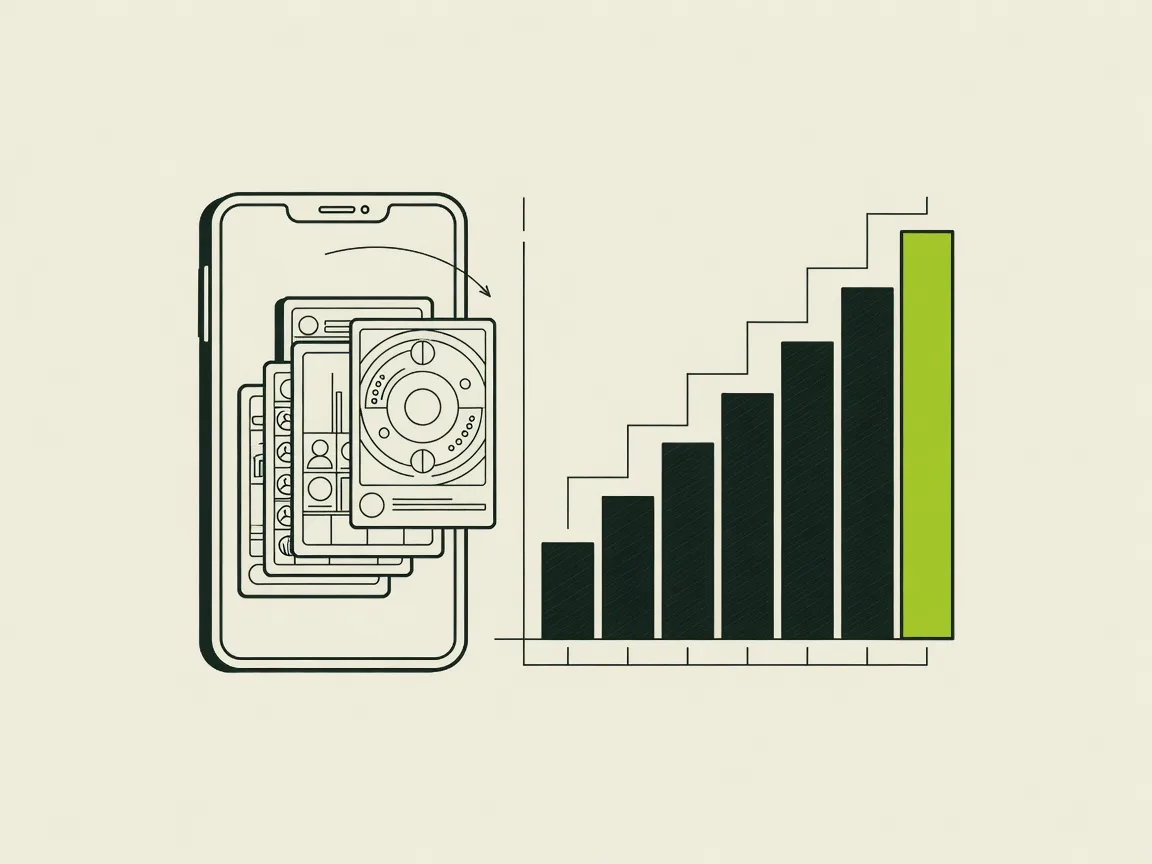
TikTok in 2026 is bigger and more crowded than it was even a year ago. The platform counts roughly 1.99 billion monthly active users and holds the highest average engagement rate of any major social platform, 3.73 percent, up 49 percent year over year (Sprout Social, 2026). Around 16,000 videos get uploaded every minute. That's the opportunity. It's also the headwind: more creators competing for the same feed real estate than at any point since the app launched.
The clearest read on where slideshows actually sit came from Metricool's analysis of 2,314,756 TikTok posts across more than 92,000 accounts, comparing early 2025 against the year before. Video still wins on raw reach: TikTok video posts generated roughly 5 times the reach and 6 times the interactions of image or carousel posts in the same dataset (Metricool, 2026). But creators didn't get that memo. Image and carousel posting volume grew nearly 140 percent year over year, almost double the 72 percent growth in video posting, meaning more creators are leaning into the format even though it trails video on a straight per-post basis.
| Metric | Video posts | Image/carousel posts |
|---|---|---|
| Relative reach per post | ~5x | 1x (baseline) |
| Relative interactions per post | ~6x | 1x (baseline) |
| YoY posting volume growth | +72.10% | +139.8% |
Metricool, 2026 TikTok Study (2,314,756 posts, 92,000+ accounts, Jan-Feb 2025 vs. the prior year)
It's worth naming the tension in that data directly rather than smoothing it over. TikTok-wide, video still beats carousels on raw reach, and that gap is real. What the platform-wide average cannot tell you is how a carousel built on a tested hook and format template performs against a video built on nothing in particular, because the average carousel is not built on either. The honest read is that format alone doesn't decide the outcome, execution does, and the reason to automate slideshows is the repeatability of the template, not a claim that the format wins on its own.
Two smaller numbers from Metricool's dataset matter more for an automated pipeline than the headline reach gap. Posts with at least one hashtag pulled nearly 5 percent more views and over 9 percent more interactions, and posts whose caption included a question pulled 26.19 percent more comments (Metricool, 2026). Both are cheap to bake into a template once and repeat forever, exactly the kind of lever automation is good at pulling consistently that a tired human eventually stops bothering with.
The same dataset found that a TikTok post captures 96 percent of its total reach and nearly 98 percent of its interactions within the first 10 days of going live, so a slideshow that resurfaces in search weeks later is the exception, not the rule, and shouldn't be the basis of a monetization plan (Metricool, 2026). Buffer's separate posting-frequency study found something similar from another angle: median views per post barely moved with frequency, sitting around 490 to 506 views regardless of whether an account posted once or eleven-plus times a week. What moved was the ceiling. The 90th-percentile post climbed from about 3,722 views at once a week to roughly 14,401 views at eleven-plus posts a week (Buffer, 2026). Automation doesn't manufacture virality. It buys more chances at a fixed cost per chance, which is a different pitch than the one most automation tools actually make.
Step 1. Warm up the account before you automate anything.
A brand-new account that starts publishing polished, scheduled slideshows on day one looks exactly like what it is: automated activity with no history behind it, and TikTok's trust systems are built to notice that pattern. Before any automation touches a fresh account, spend three to seven days using it the way an actual person would. Log in from one device on one network, scroll and watch content in the target niche for 15 to 30 minutes a few times a day, follow a handful of relevant accounts, like and comment occasionally, and don't post anything at all for at least the first 24 hours.
This isn't superstition. Guides built around thousands of tracked account warm-ups consistently name the same failure pattern: skipping this step is the single most common reason new accounts get shadowbanned, and the days spent warming up are far cheaper than the weeks it takes to recover a flagged account afterward. The mechanism makes sense once you think about it from TikTok's side. A device and login pattern with zero organic behavior before its first upload reads the same to a trust system whether it's operated by a bot farm or a solo creator in a hurry. TikTok can't read intent directly, only behavior, so the account needs to generate some before it starts publishing.
Once the account has a few days of normal-looking activity behind it, ease into posting rather than starting at full automated volume. One post a day for the first week, then step up toward whatever cadence the automation will run long term. Logging in from five different IPs, rotating devices constantly, or connecting a scheduler in hour one are the three mistakes that undo an otherwise careful warm-up, since all three are exactly the signals TikTok's abuse detection is tuned to catch.
Step 2. Pick one niche and one format, not five.
Automation amplifies whatever it's pointed at, including a scattered content strategy. Pick a single niche, home organization, budget cooking, dog training, whatever the account is actually going to be known for, and a single slide format, a numbered list, a before-and-after, a myth-versus-fact structure, before connecting anything to autopilot. A format carries the slide count, the caption skeleton, and the hook style. Changing the topic each day is easy. Changing the entire structure daily is what makes automated output look automated.
Niche focus also compounds with how people actually find slideshows now. TikTok's search function increasingly surfaces older posts against specific queries, and 49 percent of US consumers report having used TikTok as a search engine, up from 41 percent two years earlier (Adobe, cited in Search Engine Journal, 2026). A page that posts consistently in one lane builds up a body of content TikTok's search index can associate with a topic. A page that jumps between six unrelated niches never builds that association, no matter how many slideshows it publishes.
Worth being precise here, since the headline number gets misquoted constantly: Gen Z's stated preference for TikTok over Google as a primary search engine fell from 8 percent to 4 percent between 2024 and 2026 (Search Engine Journal, 2026). Usage is up, preference as a primary replacement for Google is down. People are settling into using TikTok for certain query types, recipes, product recommendations, local spots, rather than replacing Google outright. The practical takeaway for a slideshow page is the same either way: niche consistency is what makes that search behavior actually work in the page's favor.
Step 3. Build an image pipeline that won't run dry.
The image source is the part of the pipeline that breaks first, usually around week three, once the obvious stock photos or Pinterest boards for a niche run out. Before turning on any posting automation, decide where images come from on an ongoing basis, a licensed stock library, a curated Pinterest board matched to the niche, AI-generated images built for the format, or a mix, and build a buffer of at least two to three weeks of usable images before the first automated post goes out.

TikTok's Photo Mode has specific technical requirements worth building into the pipeline from day one rather than discovering mid-campaign. Each carousel supports a minimum of 4 images and a maximum of 35, though 5 to 10 slides is the range that actually holds attention through a full swipe. The native upload accepts JPG, JPEG, and PNG, with a recommended 1080x1920 resolution in a 9:16 vertical frame, the same aspect ratio as a full-screen video. If the pipeline posts through TikTok's Content Posting API directly rather than through the app, note that the API's photo endpoint is pickier: it currently accepts JPEG and WEBP only and rejects PNG at the API layer even though the native app accepts it.
| Spec | Requirement |
|---|---|
| Images per carousel | 4 minimum, 35 maximum (5-10 recommended) |
| Recommended resolution | 1080 x 1920px, 9:16 vertical |
| File formats, native app | JPG, JPEG, PNG |
| File formats, Content Posting API | JPEG, WEBP only (PNG rejected) |
| Caption length | Up to 2,200 characters |
| Carousel file size | Under 500MB total; each image ideally under 100KB |
TikTok Newsroom (2022); postfa.st, TikTok Carousel Size Specifications (2026); TikTok for Developers, Content Posting API Reference: Photo Post
The pitfall worth naming: an image source that pulls visually inconsistent images, different lighting, different aspect ratios, a mix of stock photography and screenshots, reads as low effort even when every individual slide is fine on its own. Pick one visual style, one stock library, one AI generation preset, one curated board, and hold the pipeline to it. Consistency does real work toward not looking automated, even though the process behind it obviously is.
Step 4. Build a hook and caption system the automation can repeat.
A hook framework is a small set of proven first-slide and caption structures the automation cycles through, not a single script repeated verbatim. Write five to eight hook templates for the chosen format, a question, a bold claim, a number, a before-and-after tease, and a caption template that always includes the niche keyword once, a soft call to action, and enough real language that it doesn't read as a fill-in-the-blank form letter.
Caption text does real algorithmic work beyond persuading a human to swipe. TikTok's search system indexes captions, on-screen text, and spoken audio as separate but cross-referenced signals, and industry analyses report that content repeating a target keyword across caption, on-screen text, and audio ranks measurably better for that query than content mentioning it once. A slideshow's on-screen text overlays function the same way a video's captions do for this purpose, which makes the caption template one of the highest-leverage things to get right once, since it repeats on every single post the automation ever makes.
I rewrote the caption template exactly once, added a question at the end of every caption, and stopped touching it. That one change did more for comments than any hook I've tried since.
dana, Deeporax user
The mistake to avoid is treating the hook pool as decoration rather than the actual product. An automation that generates nine visually solid slides but reuses the exact same six words to open every post will plateau within two or three weeks, since the same viewers who followed for the first hook stop swiping once it becomes predictable. Rotate the pool, retire hooks that consistently underperform, and rewrite it entirely every month or two rather than trusting the same eight lines to carry a page indefinitely.
Step 5. Connect the posting automation and set a real schedule.
With images and hooks ready, connect the actual posting mechanism. Three paths exist: TikTok's own Content Posting API for a custom build, a general scheduler that added TikTok photo-post support, or a slideshow-specific automation tool. Whichever path gets picked, the mechanics underneath are the same: authenticate the account through TikTok's OAuth flow, hand over an ordered array of images plus a caption, and TikTok publishes the carousel the same way it publishes a video post.
For anyone building or evaluating a custom pipeline, TikTok's Content Posting API documentation is the primary reference (developers.tiktok.com/doc/content-posting-api-get-started-overview). The photo endpoint accepts a source of PULL_FROM_URL with a photo_images array of public image URLs and a photo_cover_index, and publishes through the same asynchronous init-then-poll flow as video. What trips up most new integrations is the audit requirement: an unaudited API client can only post in SELF_ONLY visibility, is capped at 5 users posting in any 24-hour window, and must keep the connected account set to private during that window (TikTok for Developers, Content Sharing Guidelines, 2026). Getting a client audited, and therefore able to publish public content at real scale, requires demonstrating compliance with TikTok's terms of service before that cap lifts.
Even audited clients aren't unlimited. TikTok's Content Posting API enforces roughly 6 requests per minute per user token and a daily publishing cap in the range of 15 to 25 posts per account, shared across whichever API clients that account has authorized, with a 429 rate_limit_exceeded response and spam_risk_too_many_posts flags for accounts that push past sustainable volume (getphyllo, 2026). None of this is a secret limit anyone stumbles into by accident. It's TikTok's explicit way of keeping automated posting inside a range that still looks like a person running an account, not a script running a farm.
On cadence specifically, TikTok's own Creator Academy frames consistency over raw frequency: an always-on posting rhythm that doesn't burn out the audience beats either sporadic bursts or an unsustainable daily maximum (TikTok Creator Academy, Posting Cadence Best Practices). For a new automated account, start at once a day for the first two weeks, matching the warm-up cadence from Step 1, then step up toward 2 to 5 times a week or higher only once engagement holds steady at the lower volume, the range Buffer's data found delivers the clearest lift over posting once weekly.
Step 6. Launch, watch the right metrics, and adjust weekly.
Once the automation is live, resist checking it hourly. Review performance on a fixed weekly cadence instead: average views per post, how far viewers swipe through the slides, save rate, a stronger intent signal than likes for a swipeable format, and the click-through rate on whatever sits in the bio link, since that last number is usually the one that actually pays the bills.
| Metric | What it signals | Healthy range for a new page |
|---|---|---|
| Views per post | Reach and hook strength | Rising or flat over 2-3 weeks, not declining |
| Save rate | Whether the content is worth returning to | Higher than the like rate for a well-hooked slideshow |
| Swipe-through to final slides | Whether slide order and pacing hold attention | Most viewers reaching the last 2-3 slides |
| Bio link click-through | Whether the page converts attention into anything | Track weekly, not per post |
Illustrative benchmarks based on typical slideshow account patterns; individual results vary by niche and audience quality.
The weekly review is where most of the real optimization happens, not in the initial setup. If views are flat but saves are strong, the hook pool probably needs refreshing before anything else changes. If views are healthy but the bio link never gets clicked, rewrite the last slide's call to action rather than the whole format. Resist the urge to change three variables at once after one bad week. A slideshow automation is a system with a few weeks of lag between a change and a clear read on whether it worked, given Metricool's finding that most of a post's reach lands within its first 10 days.
For a sense of what this looks like end to end, here's an illustrative pattern we've seen repeat across pages that follow this sequence carefully. A home-organization page warms an account for five days, posts once daily through week two while holding one hook pool and one image source steady, then steps up to twice daily by week four once saves and swipe-through both look stable. By week six the account is running on the schedule it will keep long term, with the only ongoing work being the weekly review and an occasional hook refresh, not daily hands-on production.
What TikTok allows, and what actually gets an automated account banned.
TikTok permits automation that stays inside its own sanctioned surface: its native scheduler, its Content Posting API, and tools built on top of that API within its rate limits. What it prohibits is automation that fabricates engagement or identity, operates accounts in bulk, drives bots to like or follow, or reaches the platform outside the API entirely. Its Terms of Service are direct about this: TikTok does not allow the use of accounts to engage in platform manipulation, such as using automation to register or operate accounts in bulk (TikTok Community Guidelines, 2026).
TikTok's Newsroom has published its own explanation of how it counters this kind of activity, describing detection systems built specifically to catch bots, scripts, and coordinated networks used to inflate views, likes, or shares, separate from any judgment about the content itself. A slideshow automation posting real content on a real schedule through TikTok's own API sits nowhere near this category. A tool that fakes engagement, buys followers, or automates likes and comments to manufacture the appearance of organic growth does, regardless of how the slideshows themselves look.
Where this gets more relevant for AI-heavy slideshow pipelines specifically is TikTok's AI content disclosure system, which now runs on an escalating four-level structure rather than a single blanket ban.
| Level | Trigger | Consequence |
|---|---|---|
| 1. Warning | First undisclosed AI content detected | Retroactive AI label added; no account penalty |
| 2. Restriction | 2-3 violations within 90 days | Content removed, 7-day posting ban, reduced distribution for 30 days |
| 3. Suspension | 4+ violations, or a deepfake of a real person | 30-day account suspension; connected ad accounts frozen |
| 4. Ban | Malicious deepfakes or repeated evasion | Permanent account termination |
auditsocials.com, TikTok AI Content Disclosure Rules (2026)
The detection layer behind this runs automatically. TikTok now scans uploaded media for C2PA content credentials, the provenance metadata that tools like DALL-E, Midjourney, and Adobe Firefly embed by default, and applies an AI-generated label the moment it finds that metadata, whether or not the creator disclosed anything (auditsocials.com, 2026). For a slideshow pipeline built on AI-generated images, the safer approach isn't hoping the metadata gets stripped somewhere along the way. It's disclosing proactively and treating the label as a compliance detail rather than a penalty to dodge, since properly labeled AI content stays fully eligible for monetization and distribution. For the fuller picture on what specifically gets flagged, see our breakdown of TikTok's AI content policy for creators.
The most common mistakes that sink automated slideshow pages.
Most failed automations don't fail because the tooling broke. They fail because of a handful of repeatable decisions made before the first post ever went out.
| Mistake | Why it hurts | Fix |
|---|---|---|
| Skipping account warm-up | A fresh account with immediate scheduled posting reads as bot activity | 3-7 days of manual, organic-looking activity first (Step 1) |
| Running five niches on one account | No consistent topic for TikTok's search index to associate with the page | One niche, one format, until it's actually working (Step 2) |
| Letting the image source run dry | Automation starts repeating or degrading in quality around week 3 | Build a 2-3 week image buffer before launch (Step 3) |
| Never rotating the hook pool | Engagement plateaus once the audience learns the pattern | Refresh hooks monthly; retire underperformers (Step 4) |
| Posting at full unaudited-API volume immediately | Triggers spam_risk flags and rate limiting | Match posting volume to account trust level (Step 5) |
| Checking analytics hourly and changing everything at once | Most reach lands in the first 10 days; daily noise looks like signal | Weekly review, one variable at a time (Step 6) |
One mistake deserves its own mention, since it costs creators the most and gets discovered the latest: an automation that pulls the same handful of trending images or the exact caption structure everyone else in a niche is also running. TikTok's originality policy exists specifically to catch templated, low-differentiation content at scale, and a slideshow that reads as a copy of five hundred other slideshows in the same niche gets suppressed even when nothing about it technically breaks a rule.
Picking the right tool: manual editors, general schedulers, or slideshow-specific automation.
By the time Step 5 is underway, most creators have already implicitly chosen a tool category without weighing it directly. Worth doing that comparison on purpose instead.
| Approach | Setup effort | Best fit |
|---|---|---|
| Manual editing app + native posting | Low setup, high ongoing time | One account, low volume, full creative control every post |
| General social scheduler with TikTok photo support | Moderate setup, some ongoing time | Teams already scheduling across multiple platforms |
| Custom build on TikTok's Content Posting API | High setup: developer account, app audit, ongoing maintenance | Technical teams running many accounts at real scale |
| Slideshow-specific automation (sourcing, hooks, and posting built for the format) | Low setup, minimal ongoing time | Creators who want the format working without maintaining a pipeline themselves |
The first three options all work. They just put the maintenance burden in different places. A manual editor keeps every decision in your hands at the cost of your time. A general scheduler saves posting time but still leaves image sourcing and hook writing manual. A custom API build removes the most manual work but adds real engineering overhead most solo creators and small teams don't want to own. This is the specific gap a tool like Deeporax is built to close: sourcing images, cycling the hook pool, laying out the slides to TikTok's Photo Mode spec, and publishing on the schedule from Step 5, so steps 3 through 6 above run as one connected system instead of four separate tools someone has to keep wiring together by hand.
A realistic path forward, and where to go deeper on each step.
None of this needs to happen in one sitting. A realistic sequence: spend the first week on account warm-up, see our full guide on how to warm up a TikTok account, while deciding on niche and format in parallel. Spend week two building the image pipeline and writing the first hook pool. Our library of slideshow hook ideas is a faster starting point than writing from scratch. Connect the posting automation in week three, starting at the lower end of the posting cadence this guide covers, and use week four to run the first real weekly reviews before touching the schedule again.
Two questions tend to come up right after the pipeline is running, and both have a fuller answer elsewhere on this site. If the goal includes making money from the page rather than just growing it, read does TikTok pay for slideshows before assuming the Creator Rewards Program applies, since it structurally doesn't for this format, and slideshow income comes from different channels entirely. And since a meaningful share of a slideshow's long-term reach comes from search rather than the For You Page, our guide on TikTok SEO for slideshows covers the caption and on-screen text signals in more depth than Step 4 has room for here.
If the account is going to run without a visible creator behind it at all, true of most automated slideshow pages, our broader guide to faceless marketing covers the positioning and trust questions that come up once a page starts getting real traction. And if any part of the pipeline touches AI-generated images or AI-assisted scripting, it's worth revisiting the compliance section above and our dedicated breakdown of TikTok's AI content policy before scaling past the volume this guide recommends starting at.
Frequently asked questions.
Can you actually automate TikTok slideshows?+
Yes. TikTok's own Content Posting API supports photo carousels directly, and several third-party tools build image sourcing, hook writing, and scheduled posting around that same API, so a slideshow page can run on a set schedule without daily manual production.
Is automating TikTok slideshows against the rules?+
No, not if it stays within TikTok's own API and rate limits. TikTok's Terms of Service prohibit automation that fabricates engagement, operates accounts in bulk, or bypasses the platform outside its sanctioned API, not automation that posts real content through the API on a reasonable schedule.
Do I need to know how to code to automate a slideshow page?+
No, only if you're building directly against TikTok's Content Posting API. Most creators use a scheduler or a slideshow-specific tool that already handles the API connection, image formatting, and posting, leaving the account owner to handle images, hooks, and the schedule.
How many images can go in one TikTok slideshow?+
Between 4 and 35, with 5 to 10 slides generally holding attention best through a full swipe, per TikTok's Photo Mode specifications.
Do automated slideshows perform worse than ones made by hand?+
Not inherently. Performance comes down to the image quality, hook, and caption the automation is built around, not whether a human clicked publish. An automation running a weak template will underperform a strong manual post, and the reverse is just as true.
What's the first step before turning on any slideshow automation?+
Warming up the account for three to seven days: normal scrolling, following, and light engagement, with zero posting in at least the first 24 hours, so the account has some organic-looking history before automated activity starts.
Should I use TikTok's own API or a third-party tool?+
It depends on scale and technical resources. TikTok's Content Posting API is free but requires a developer account, an app audit to lift the SELF_ONLY posting restriction, and ongoing maintenance. A third-party or slideshow-specific tool trades a subscription fee for skipping that engineering overhead entirely.
How often should an automated slideshow account post?+
Start at once a day for the first two weeks, then step up toward the 2-to-5-times-a-week range or higher once engagement holds steady, the cadence Buffer's 11.4-million-post analysis found delivers the clearest lift over posting weekly.
Where should the images for an automated pipeline come from?+
A licensed stock library, a curated Pinterest board matched to the niche, AI-generated images, or a mix, kept visually consistent and built up as at least a two-to-three-week buffer before the first automated post goes live.
How do I know if my hook pool needs refreshing?+
When views stay healthy but saves and swipe-through start slipping, the hook is usually the first thing to check, since a hook the audience has seen too many times stops earning the swipe even when everything else about the post is solid.
My automated posts aren't showing up publicly. Why?+
Most likely your API client is unaudited. Unaudited TikTok API clients are restricted to SELF_ONLY visibility and a five-user daily cap; content only becomes public once the account is set to public and the client passes TikTok's compliance audit.
I got a spam_risk_too_many_posts error. What does that mean?+
TikTok's Content Posting API flags accounts publishing faster than its rate limits allow, roughly 6 requests a minute and a daily cap in the 15-to-25-post range shared across API clients. Slow the schedule and use exponential backoff rather than retrying immediately.
My slideshow got labeled as AI-generated. Is that a problem?+
Not automatically. TikTok scans uploads for C2PA metadata from tools like DALL-E, Midjourney, and Adobe Firefly and applies the label the moment it detects that metadata, and properly labeled AI content stays fully eligible for distribution and monetization. It only becomes a real problem after repeated undisclosed violations, which escalate through TikTok's four-level penalty system.
My views dropped after I increased posting frequency. What happened?+
Two likely causes: either the added volume outpaced what an account still building trust could sustain, or quality slipped as the same hook pool and image source got stretched further. Step back to the previous cadence for a week and check whether the drop follows the schedule or the content.
Can a fully automated account get banned even if I never touch it?+
Yes, the same rules apply regardless of who or what clicks publish. An account posting real content through TikTok's own API on a sustainable schedule isn't the automation TikTok targets. An account built on fabricated engagement, bulk operation, or repeated undisclosed AI violations is, whether a person or a script is driving it.
Sources.
- TikTok for Developers: Content Posting API, Get Started Overview
- TikTok for Developers: Content Posting API Reference, Photo Post
- TikTok for Developers: Content Sharing Guidelines
- TikTok for Developers: Developer Guidelines
- TikTok Newsroom: Inspiring creativity with our new editing tools (Photo Mode launch, 2022)
- TikTok Newsroom: How TikTok counters deceptive behaviour
- TikTok Community Guidelines: Overview
- TikTok Legal: Terms of Service (US)
- TikTok Creator Academy: Posting Cadence Best Practices for Publishers
- Metricool: 2026 TikTok Study press release
- Metricool: How to Make a Slideshow on TikTok (Photo Mode Guide)
- Buffer: How Often Should You Post on TikTok in 2026 (11.4M posts analyzed)
- Buffer: Best Content Format on Social Platforms 2026 (45M+ posts analyzed)
- DataReportal: Essential TikTok Stats
- Sprout Social: 46 TikTok Stats to Inform Your Strategy in 2026
- Sprout Social: Best Times to Post on TikTok in 2026
- Search Engine Journal: Gen Z Preference for TikTok Over Google Drops 50%
- AuditSocials: TikTok AI Content Disclosure Rules 2026
- postfa.st: TikTok Carousel Size Specifications
- getphyllo: TikTok API Rate Limits 2026
- dev.to (alex97po): TikTok Content Publishing API, Videos, Photo Carousels & the Async Publishing Dance
- Deeporax inspiration database (2026)
MT
Written by
Matt Torres
Founder of Deeporax. Ran faceless TikTok pages for years before building the tool. Writes everything here from live account data.