Nivala – Kya Pakayein
Coming soonKya pakayein? Decided.
About
“Kya pakayein?” is what a desi household asks every day: what shall we cook? Nivala answers it. It does not show a feed of recipes. It picks three dinners that fit everyone in your house, tells you why, and tells you when to start so dinner is ready on time. Set the household's rules once (halal, no beef, vegetarian, Jain, ten allergens and more) and every suggestion is checked against all of them. If Nivala does not recognise an ingredient it never assumes it is fine: the dish is held back and marked uncertain. The suggestion engine runs on your phone, so it works offline, and nothing leaves the device until you choose to back it up with an email.
Highlights
- Three dinner options a day, never a feed, each with a Why this breakdown.
- Household rules and ten allergens applied to everyone at once. A dish that breaks anyone's rule never reaches you.
- Unsure means no: an unrecognised ingredient holds a dish back instead of passing it.
- 190+ dishes: Pakistani, North Indian, South Indian, Chinese, Italian and more, with spelling-tolerant search.
- Cook or eat out, with a start-by time and optional alarm-style cook-time reminders that sound even on silent.
- Meal diary and weekly report with no streaks, no badges and no red numbers.
- Optional email backup with a six-digit code, so a new phone gets your kitchen back. No password.
- Works offline. Free, supported by Google AdMob ads.
How it works
Four short setup steps, then three cards a day.
- 1Set up once
Pick dietary rules and allergies, say who is eating and roughly how old, add your kitchen habits (skill, weekday time, cook or eat out), and optionally share your location.
- 2Get three cards
Each day Nivala picks three dishes that pass everyone's rules. One is always a familiar comfort pick. Tap one to see the reasons behind it.
- 3Cook or swap
“Cook this” opens the recipe with a start-by time. “Show me another” swaps a card, and after a few swaps it asks what is wrong instead of guessing.
- 4Log and learn
Log what you ate, or a photo, in the diary. Rotation and taste get smarter, so you do not get biryani four nights running.
Screens
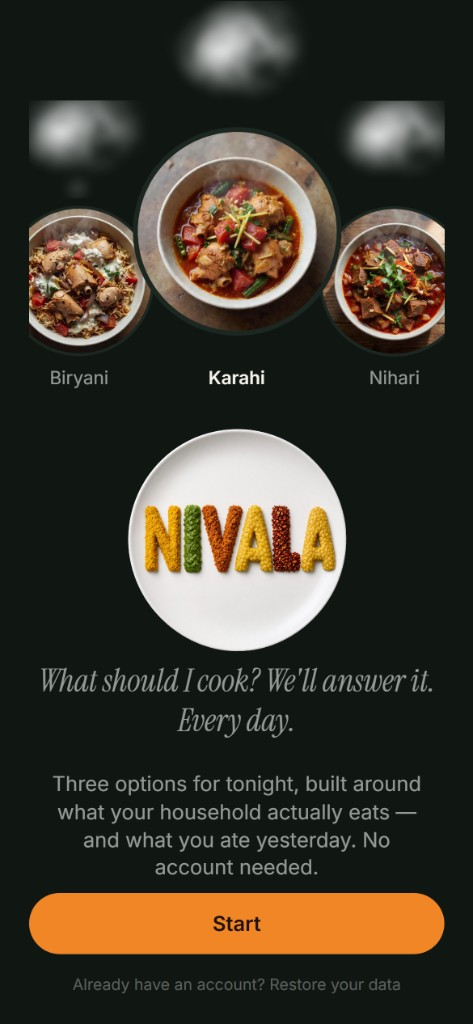
Kya pakayein? Answered.
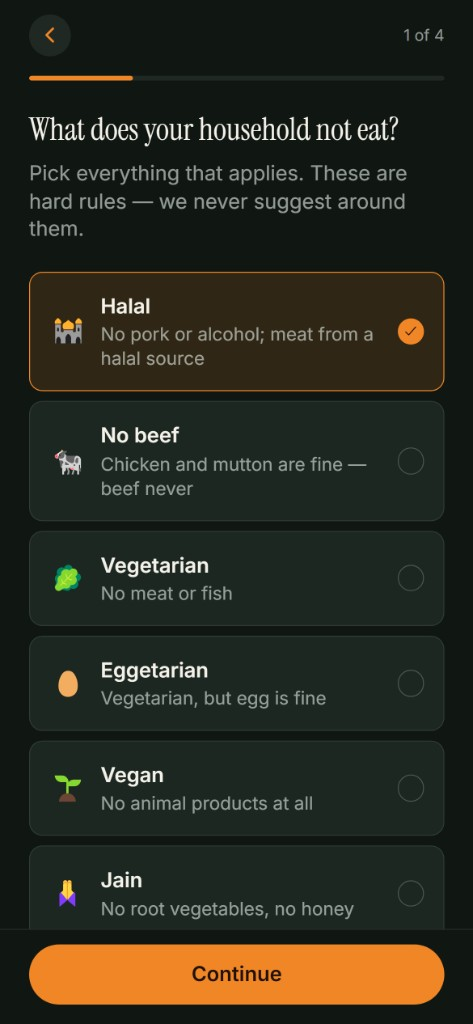
Set everyone's rules once.
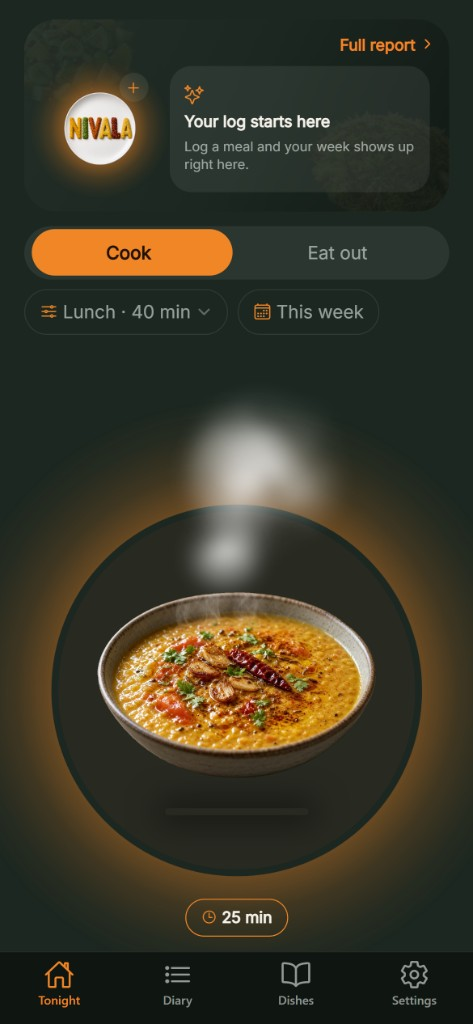
Tonight, decided.
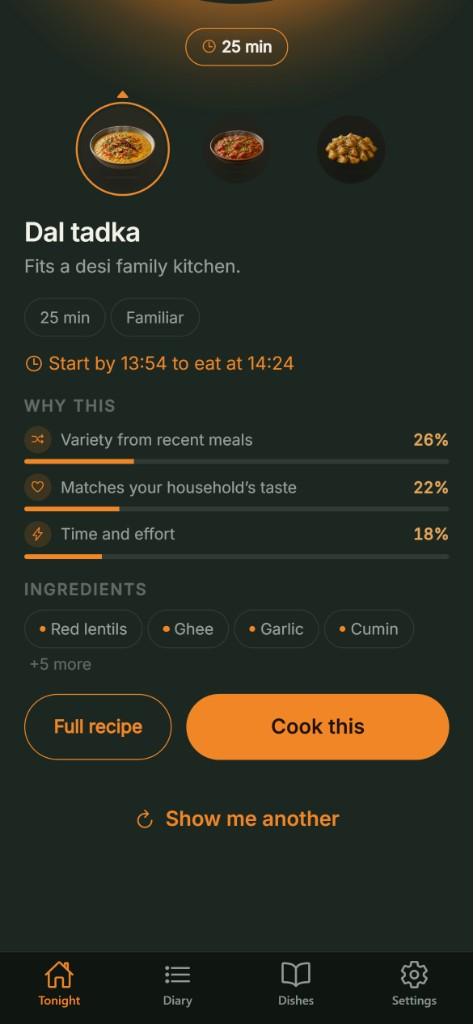
Every pick shows its reasons.
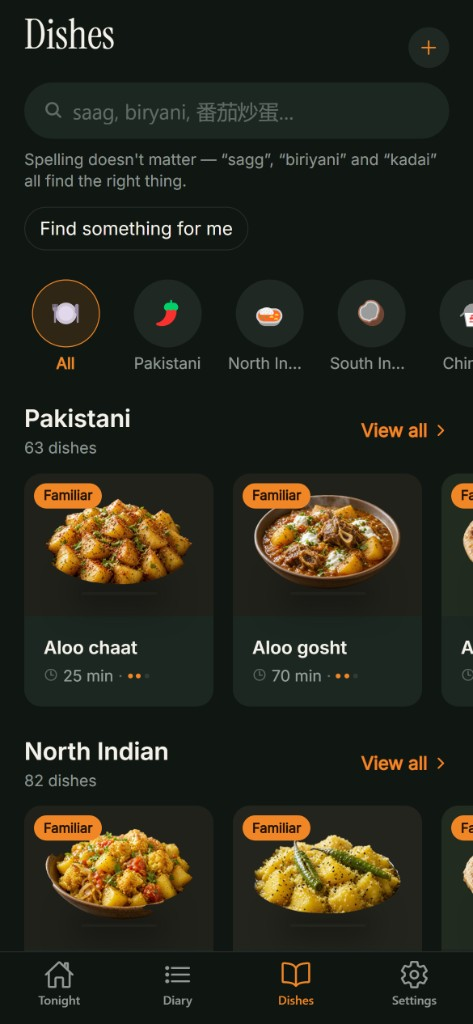
190+ dishes from a real desi kitchen.
What it does
- Everyone's rules, at once
Halal, no beef, vegetarian, eggetarian, vegan, Jain, pescatarian, kosher screening, plus ten allergens including hidden sources like cashew paste in korma.
- Unsure means no
An ingredient it does not recognise is never assumed safe. The dish is held back and marked uncertain.
- Shows its working
Variety from recent meals, your household's taste, and time and effort, each with its share of the decision.
- Religious calendar
Ramadan, Navratri, Shravan, Jain observance, Lent Fridays and festive days change what is suggested. It asks before switching any on.
- Your own dishes
Add a dish with a photo and the background is removed for you. Nutrition is worked out from the ingredients you list.
- Eat out
Nearby restaurants, filtered by your household's rules, with photos.
- Calorie goals
Daily, weekly or monthly. Unsafe targets are refused with an explanation, never quietly changed.
- Pantry and leftovers
Tell it what is at home and what is left over, and a week-ahead preview shows the coming days.
Questions
- Is Nivala a religious authority?
- No. It checks dishes against the rules you set and tells you what it decided. It is not a certifying body, a medical device or a dietitian. For a strict observance or a medical allergy, confirm independently before you eat.
- What if it does not recognise an ingredient?
- The dish is held back and marked uncertain. It is never assumed safe.
- Do I need an account?
- No. Nivala works fully without one and keeps everything on your phone. Add an email in Settings if you want your household, dishes and meals to follow you to a new phone.
- I got a new phone. How do I get my dishes back?
- On the welcome screen tap “Already have an account? Restore your data”, enter the email you added on your old phone, then the six-digit code we send. It only works if you added an email before switching.
- Does it work offline?
- Yes. Suggestions, your household and your diary all run on your device. Restaurants, weather, dish photos, backup and ads need a connection.
- Why are there ads?
- They keep the app free. Nivala uses Google AdMob banners and interstitials, and we request non-personalized ads only. In the EEA and UK, Google's consent form asks before any ad is requested; you can reopen it in Settings → About → Ad preferences.
- Do you use my camera or photos?
- Only if you add a photo. Meal-log photos stay on your phone unless you tap “Estimate calories from photo”, in which case that one photo is sent through our server to xAI after you agree, then discarded. A photo on a dish you add is uploaded so its background can be removed.
- Does it need my location?
- Only for restaurant search and the weather, and only while the app is open.
- How do I delete my data?
- Settings → Backup → Delete account erases your account and everything backed up, and clears your phone. If you never added an email, nothing is on our servers; Settings → Start over clears the phone. To remove a dish photo you uploaded, email cfaysal099@gmail.com.